RedSealSW 
Redseal SW
Clearing Chromes Cache
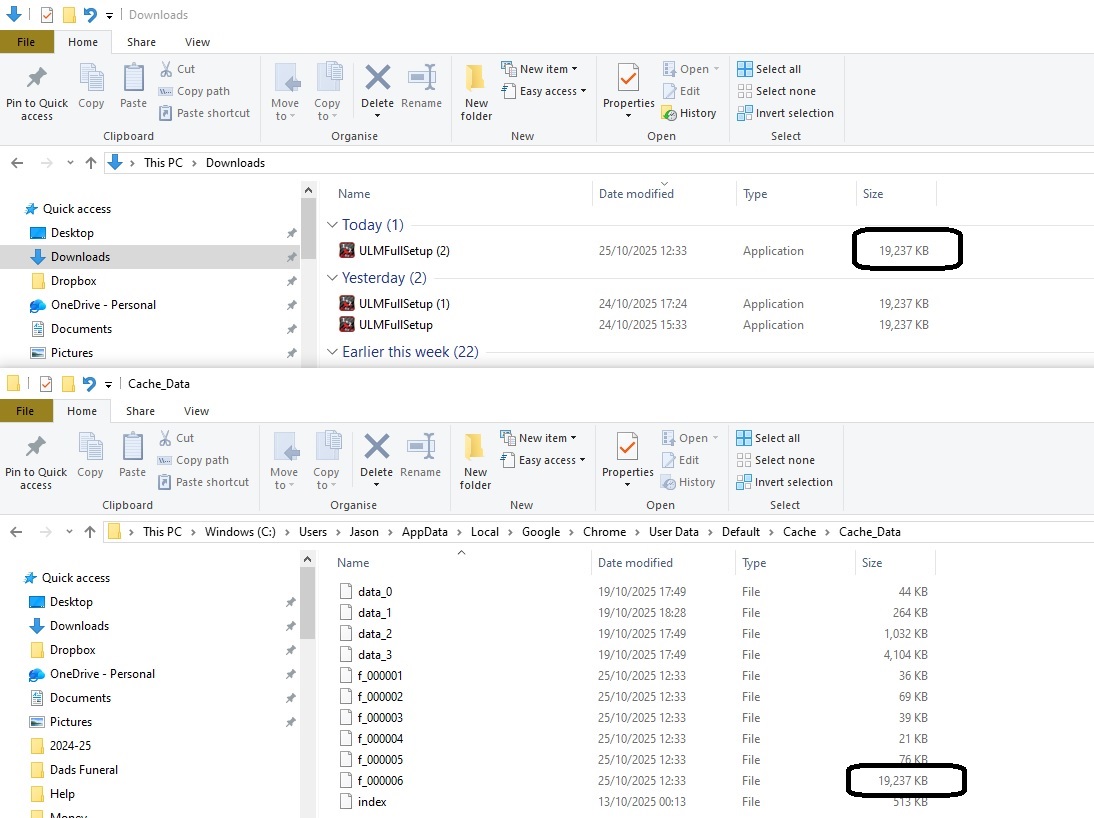
Chrome has a tendency to store downloads in its cache. This means downloading the latest version of software may not work. The older version is retrevied from the cache instead of the latest version being downloaded. These pages show how to clear the cache before attempting an update.
This shows the setup file in the downloads area along with another copy in the Cache area.
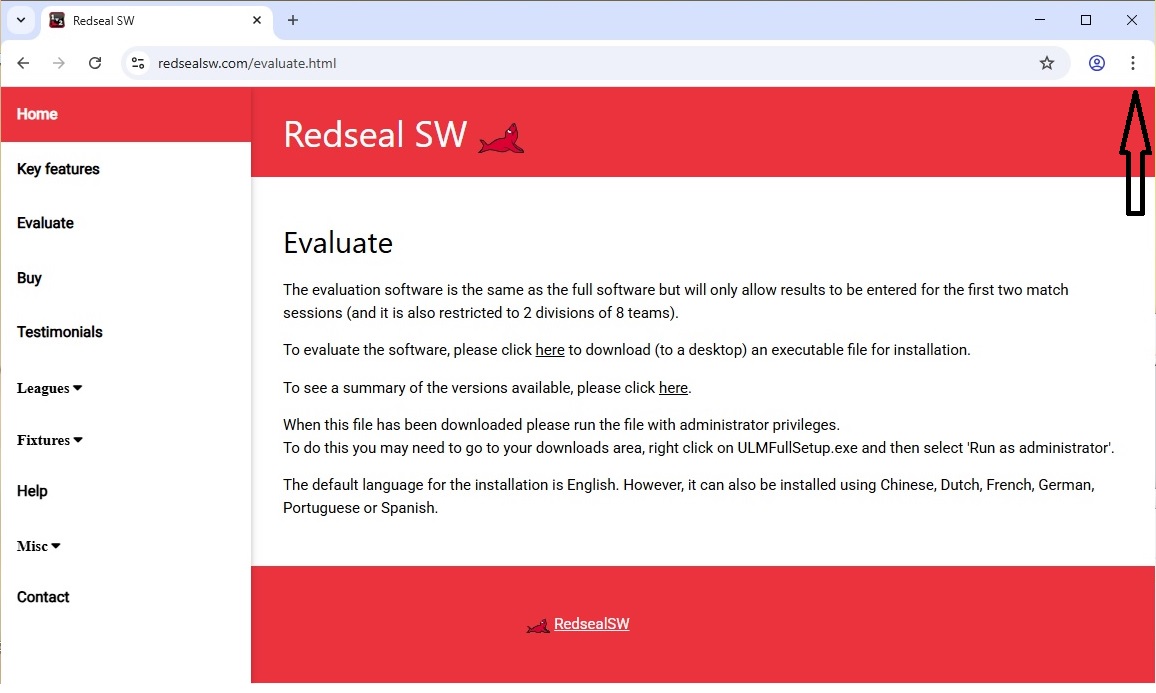
Step 1: Click on settings in Chrome
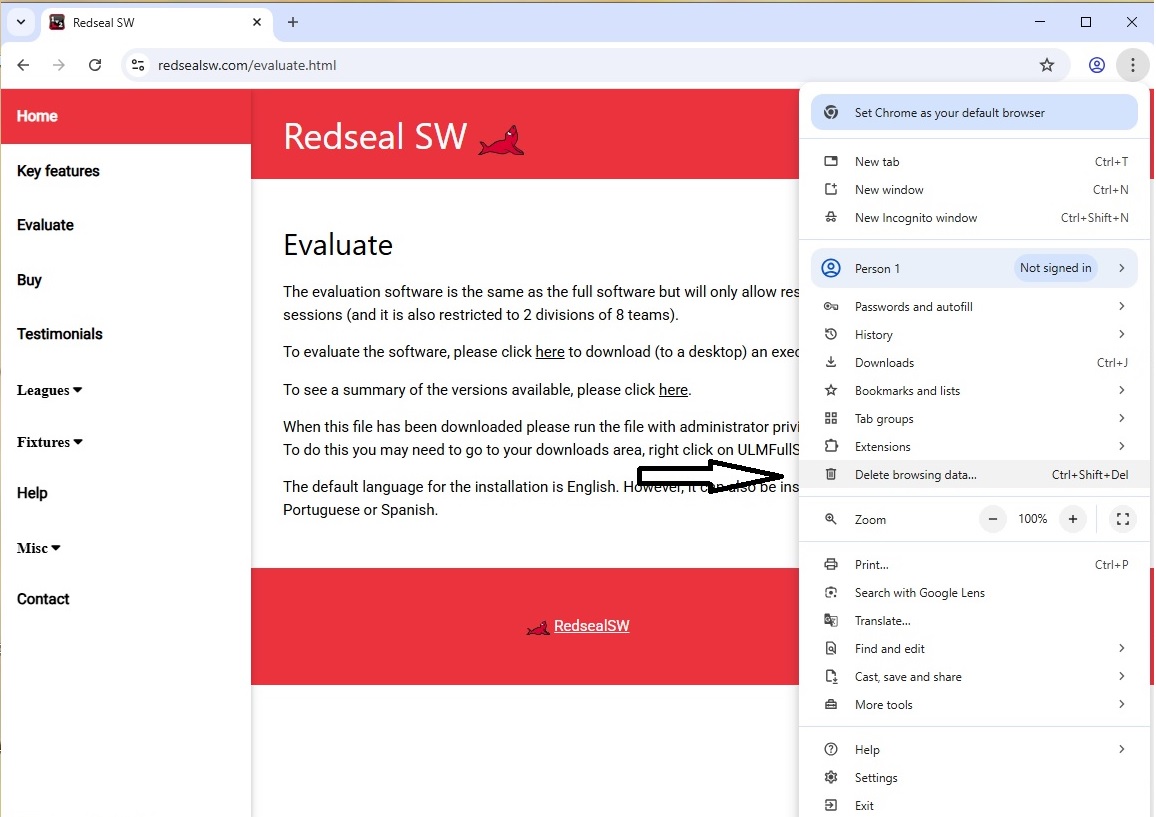
Step 2: Click on Delete browsing data...
Step 3: Select images and files and then click delete
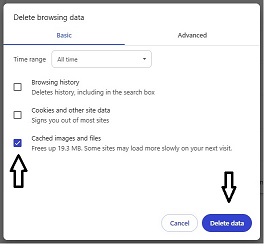
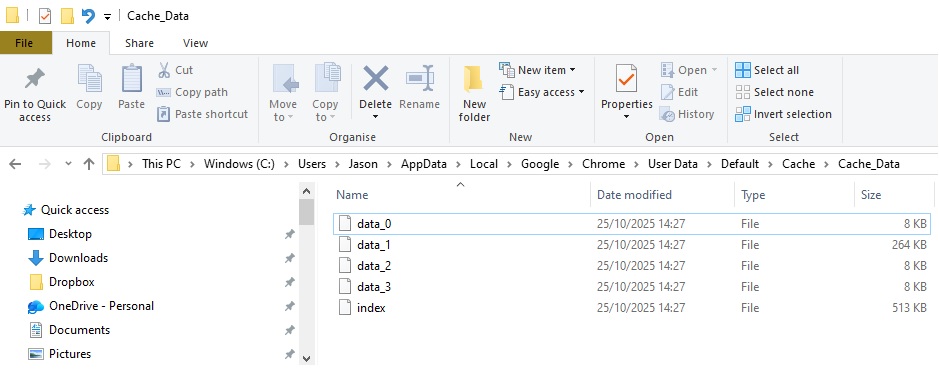
This shows the previous cached download has been deleted. Update now and a fresh copy of the setup will be downloaded.